

AI Integration Quick Reference
AI Integration Quick Reference
- Requires: CometChat SDK and UI Kit both configured
- Implementation: Handle notification tap in
AppDelegateorSceneDelegate - Parse payload: Extract sender UID or group GUID from notification payload
- Launch: Present
CometChatMessagesview controller with user/group - Related: Receive Message · Push Notifications · UI Kit
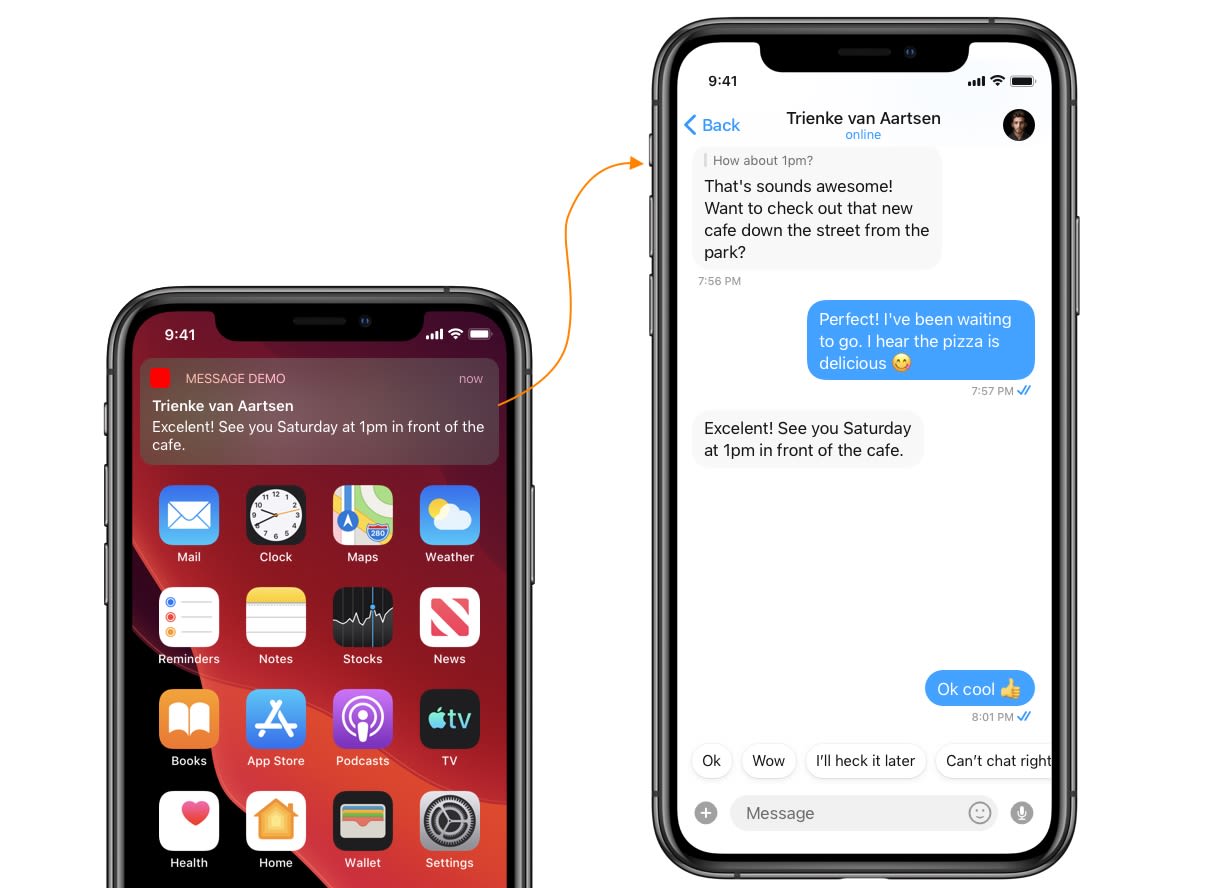
Step 1. Process push notification payload and grab User or Group object
To present a chat window, you need a User or a Group object. You can grab this from the push notification payload using CometChat.processMessage().
- Swift
Step 2. Launch Chat Window
Launch the chat window from your base view controller using NotificationCenter.- Fire a notification after you receive the
UserorGroupObject. - Pass the
UserorGroupObject in the notification’s user info.
Trigger notification from App Delegate
- Swift
- Observe the notification in your base view controller.
Observe notification in Base View Controller
- Swift
Add selector method & Launch Chat Window
- Swift
Next Steps
Receive Messages
Handle incoming messages in real time
Push Notifications
Set up push notifications for your iOS app
Launch Call Screen
Open call screen from push notification tap
UI Kit Overview
Pre-built UI components for iOS